
The back office for cafés and restaurants
Less manual work.
More control across your locations.
Tasti takes the repeated back-office work off your team. Two ways in, depending on your size.
Ready today · 1 to 5 locations
Tasti Desk
Sales, costs, schedules and stock in one clear view, with Avo highlighting what matters. Sign up and use it today, no call needed.
$149 CAD per location a month · 30 days free, no card
Start free at desk.tasti.ioCustom · groups of 2 to 150 locations
Built around your group
The same idea, shaped around the systems you already run. One costly workflow automated end to end, then kept running, by the person who builds it.
- Consolidated sales and reporting across locations
- Supplier invoices captured, coded and matched
- Guest messages and reviews in one queue
From $5,000 CAD, fixed price per workflow
See how it worksTasti Desk · the product
Your back office. Finally clear.
One simple platform to manage your restaurant's daily operations, built to save more than it costs.
- Morning
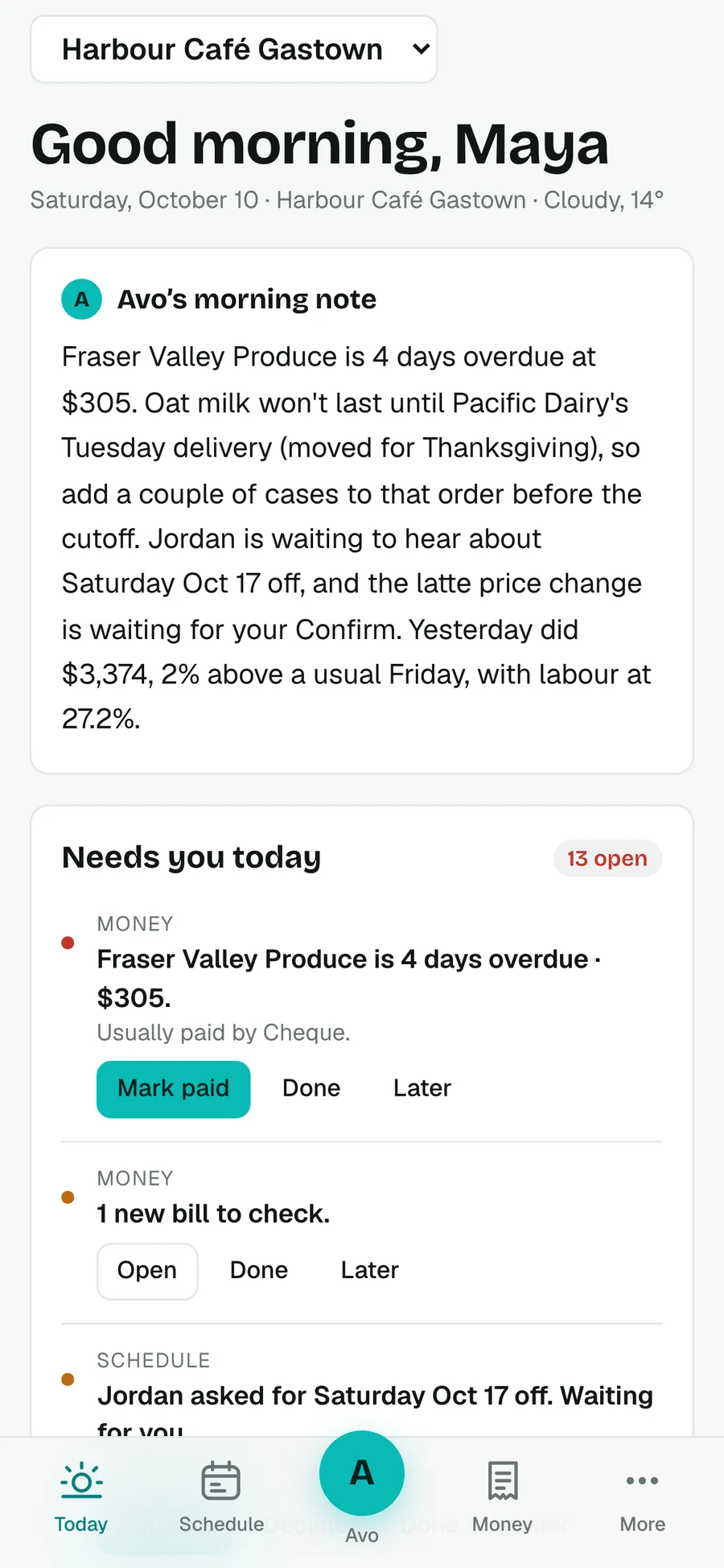
- Yesterday, today and what needs you, before the doors open.
- Schedule and team
- Labour cost live, BC rules checked, shifts sent by private link.
- Money
- Forward the bill; Desk reads every line and catches price rises.
- Menu and stock
- Every dish costed from your latest bills; what to order, what went missing.
- Avo
- Ask in plain words. It proposes, nothing changes until you confirm.
$149 CAD per location a month after the trial. Square connected; your data is stored in Canada.
Or click around a demo café first, no sign-up ↗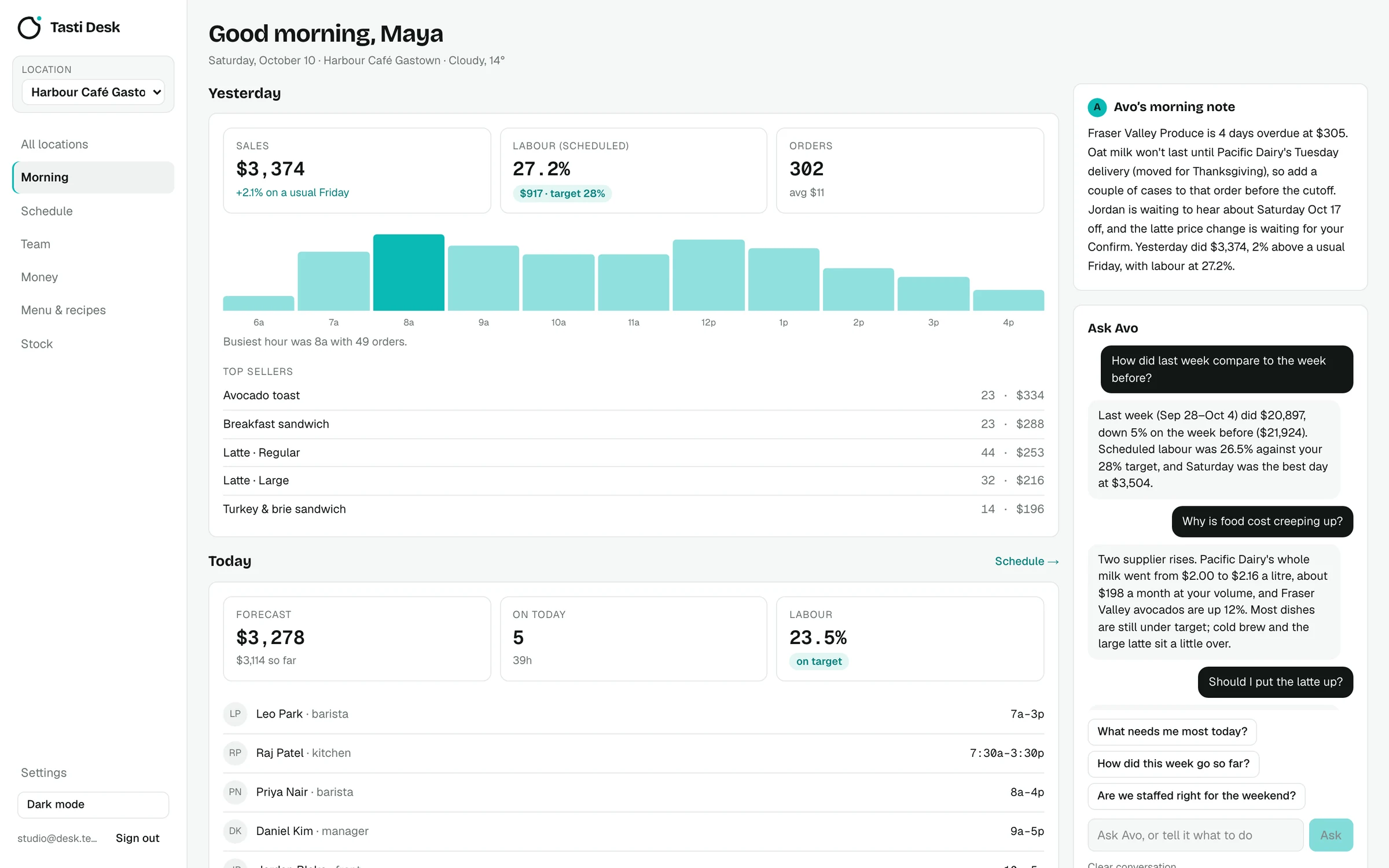
For groups · built around your systems
Good tools, and still a person in the middle
Your POS works. Your accounting works. The manual work lives in the gaps between them, and every one of those gaps is crossed once per location, every week. Nobody puts it on a line item, so nobody costs it.
01
Sales and operational reporting
- Manual today
- Someone exports from every location and rebuilds the same spreadsheet before the week starts.
- What a build covers
- One consolidated report assembled on schedule from the systems each site already runs, in the format your team reads.
02
Invoice entry and reconciliation
- Manual today
- Supplier invoices are re-keyed by hand, then matched against orders and statements when someone finds the time.
- What a build covers
- Invoices captured and coded automatically, matched against what was ordered and received, with mismatches queued for a person instead of buried.
03
Guest messages and reviews
- Manual today
- Reviews and messages pile up unevenly, answered at one location and missed at three.
- What a build covers
- Every message and review gathered in one queue with a drafted reply in your voice, sent once someone approves, escalated when it needs a manager.
Workflows Tasti takes on, not a list of finished client projects. Menu and price changes, compliance logs, onboarding packs and stock orders are scoped on the same terms.
How an automation project runs, start to ongoing
Four steps, and the fourth one is the point
A workflow that nobody maintains stops being trusted by week three. The build is the start of the engagement, not the end of it.
01
Identify
A walk-through of how the work is done today across your locations. We pick the workflow worth fixing first, write down what it costs you now, and agree what “working” will mean.
02
Build
A defined scope, built onto the systems you already run. You see it working mid-build, not at the end. No long silence, no black box.
03
Verify
It runs in safe mode alongside your team, doing nothing irreversible, while we compare its output to theirs against the acceptance criteria we agreed. It goes live on your explicit go-ahead.
04
Manage
Monitoring, failures and exceptions, agreed minor changes, and a monthly review of how the workflow actually performed. Systems change; something has to keep up with them.
Approvals and exceptions stay with your team. The aim is not an empty office. It is that nobody rebuilds the same work every week, and that the judgment calls arrive in one place with the context attached.
Working demos · no sign-in
Things that run.
Not slides.
Each demo takes one job a multi-location group does by hand and runs it end to end, on a fictional group called Harbour & Co. Open one and use it: upload an invoice, approve a change, watch it get checked.
Demonstrations, not client systems. Every figure in them is arithmetic on stated assumptions that you can check on the page.

Founder-led
Yuriy Romanyuk
I spent years in food operations before I built any of this. That is why the assessment is short and specific: I know which repeated job is worth taking off a team and which one is a process problem that automation would only make faster.
There is no account manager and no handoff. The person who sits in your operation during the assessment is the person who builds the workflow and the person who manages it afterwards. Tasti is deliberately small, and I take on a limited number of engagements at a time.
Vancouver, BC · yuriy@tasti.io · 778 956 4251
Pricing
Published, so you do not have to sit through a call to find out whether this is affordable. Desk is a monthly subscription; custom work is a fixed build plus management.
Tasti Desk · 1 to 5 locations
$149CAD per location a month, everything included. 30 days free, no card.
Custom builds for groups
The build
One workflow
$5,000CAD, fixed, up to 5 locations
Above five locations, $400 per additional location, so a ten location group is $7,000. Larger groups are scoped on the call, because at that size the work itself is different.
- One agreed workflow, scoped in writing before the build starts
- Defined integrations with the systems you already run
- Target of 30 days, given timely access and approvals
- 50% upfront, 50% on agreed acceptance
- Documentation and handover, including how to switch it off
If what I hand over does not meet the acceptance criteria we agreed before the build, the second half is not owed and you keep the documentation.
Request a fit callOnce it is live
Managed Operations
From $700CAD / month, or $200 per location up to ten locations
- Monitoring of the live workflow
- Handling failures and exceptions
- Agreed minor changes
- Monthly performance review
- A second workflow adds $100 per location
Continuous Improvement
$3,500CAD / month, on top of Managed Operations
- Everything in Managed Operations
- Separately agreed capacity for the next workflows
- Capacity boundary: up to 20 hours a month
- Month to month
Ongoing work is scoped, not unlimited: agreed changes and agreed capacity, during Vancouver business hours. New workflows are scoped and priced on their own. Above ten locations the build and the monthly are both quoted per group.
Questions
Tasti Desk or a custom build?
Start with Desk if you run one to five cafés or restaurants: it is ready today, costs $149 per location a month and needs no call. Choose a custom build if you run a larger group, need it shaped around systems Desk does not connect to, or have one specific workflow eating hours every week. Not sure? Request a fit call and I will tell you which one fits, including when the answer is Desk.
Who is the custom work for?
Hospitality businesses running from two locations up to around 150, in Canada and the United States: restaurant groups, café and bakery chains, catering and venue food service. Big enough that a repeated task costs real money every week, not so big that the answer is an enterprise rollout.
Do we have to replace our POS or software?
No. Desk connects to Square, and a custom build sits on top of what you already run. Replacing a working system is the most expensive way to fix a workflow, and it is rarely why the work is manual.
What access do you need?
Least privilege, granted by you, in your own accounts. Where a step has to write, say posting a reply or updating a price, we agree that permission in writing first. You can revoke any access you grant.
What do we own?
Your accounts, your data and your credentials stay yours. A custom build is handed over with documentation and the steps to run or switch it off without me. In Desk you can export everything in one file at any time.
Start with twenty minutes
A short call to see whether this fits: how many locations, what your team repeats every week, and whether automation is the right answer at all. If it fits, the next step is a ninety-minute walk-through of your operation, in person, and worth your time whether or not we work together.
The form takes a minute. It reaches me directly and I reply within one business day, Vancouver hours.